Pulse Planner
Run your DJ company from the first inquiry to the last track.
Pipeline. Contracts. Planning. Social. Books. One app.
Pulse Planner is the hub for your entire company. Every inquiry lands in your pipeline and gets answered. Proposals, contracts and payments book the date. Your clients plan their music and their timeline in their own portal, and your DJ runs the night from it. The night's photos become your next Instagram post, and your books keep up as the money comes in. One login, not six subscriptions.
Founding partner spots open for 2027Built by a working wedding DJMonth to monthNothing reaches a client until you switch it on
 Pulse Planner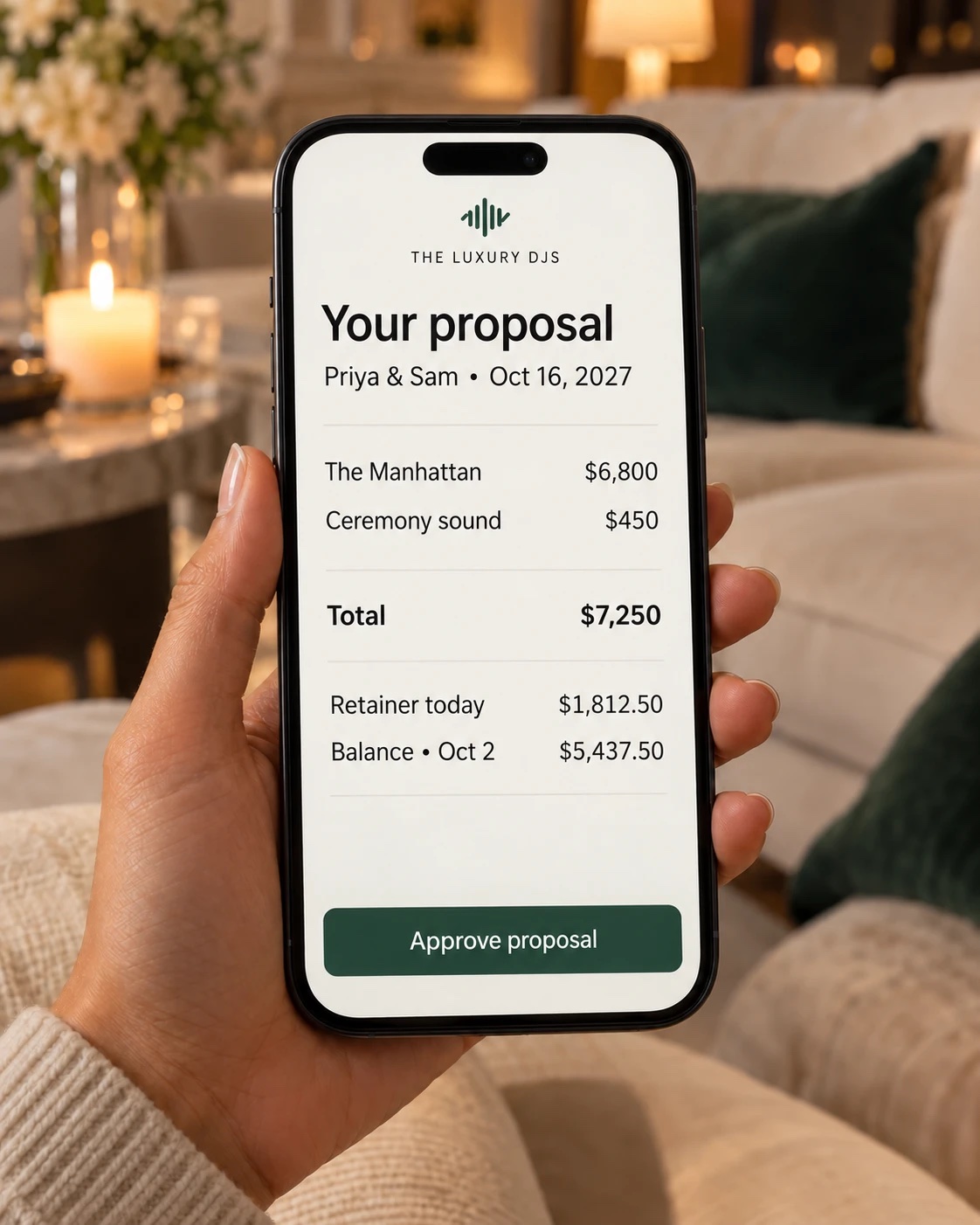



$6–9ka year a DJ company typically spends on tools and admin help
6tools and logins it replaces
$99a month, everything included, against about $247 for the tools it replaces
1record per booking, from the inquiry to paying your DJs
The whole booking, end to end
Most software stops at the signed contract. The night is where yours is judged.
HoneyBook and Dubsado get you to "booked". Vibo and DJ Intelligence plan the music. Pulse Planner is both halves in one record, so nothing gets typed twice and nothing falls through between them.
Minute one
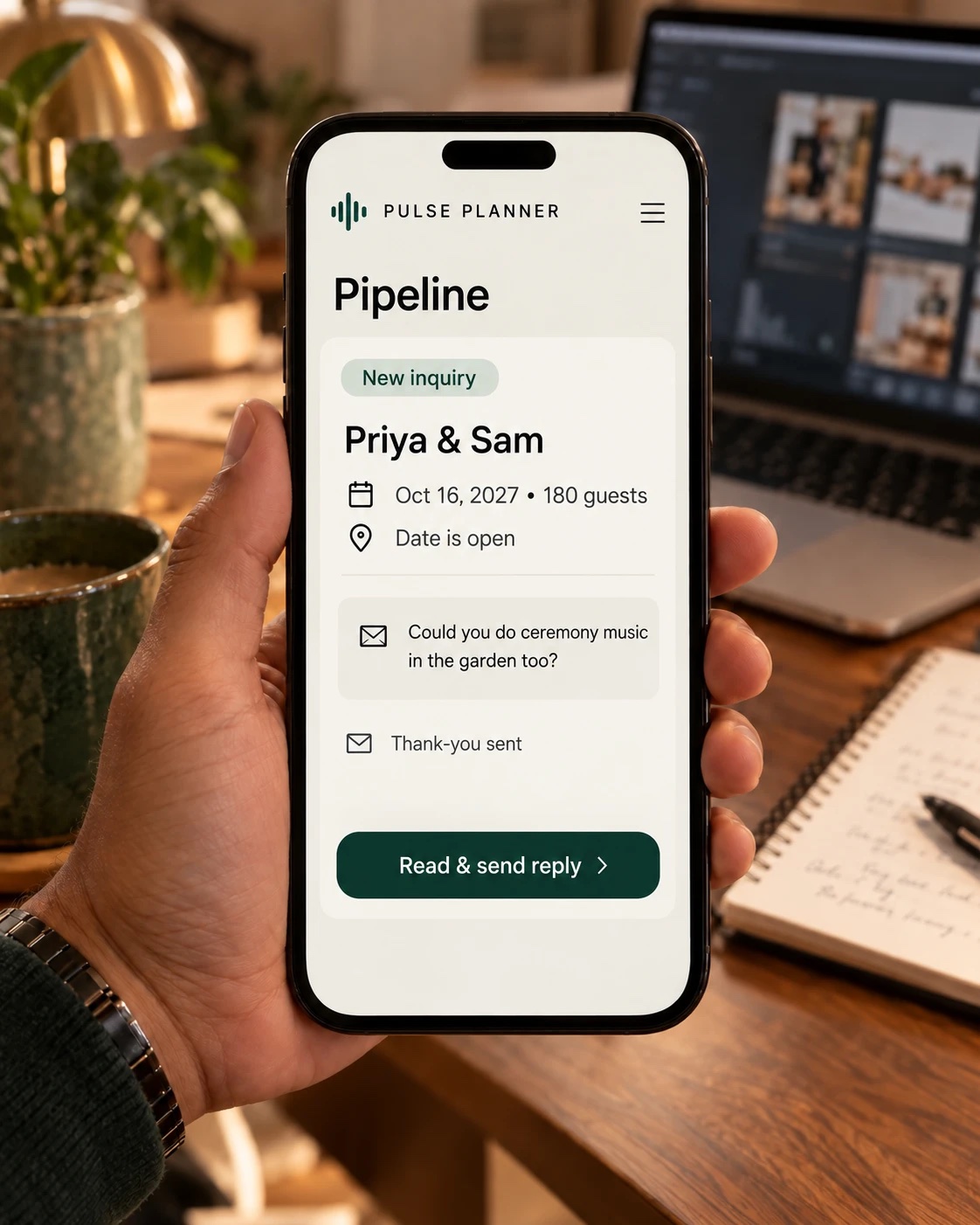
Inquiry
Your website form lands on the board with an instant thank-you. The real reply waits beside what they wrote, for you to read and send.
Day one
Proposal
Packages from your price list, the hours, two payment dates. They approve on their phone.
Same hour
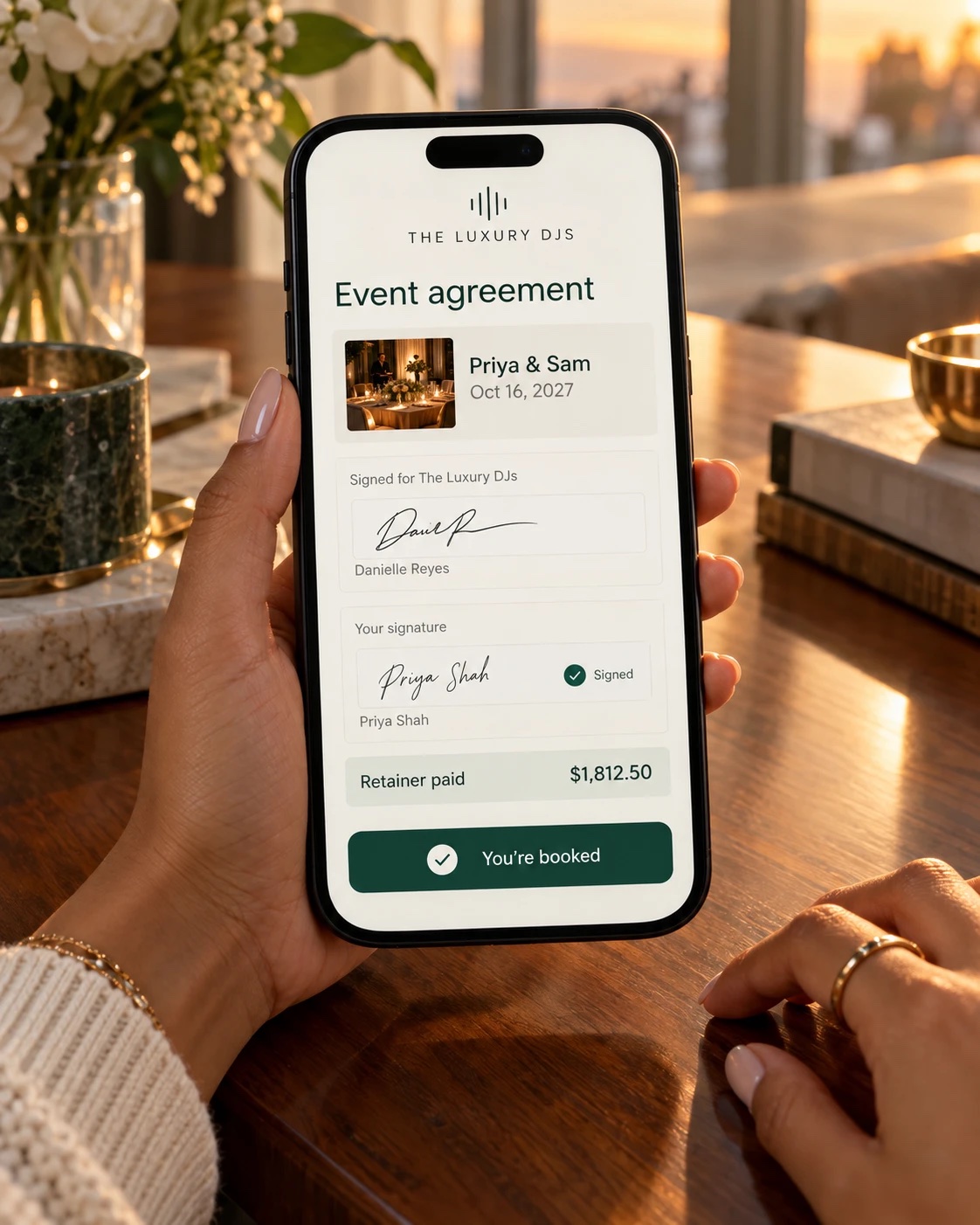
Contract & retainer
Already signed by you. They sign, pay by card, bank or Zelle, and the job books itself.
The months between
Music plan
Their portal: Must Play, Do Not Play, the entrance order, how to say every name.
The night
Planning form
Your DJ opens one timed page on their phone. Load-in, names, songs, the planner's number.
The morning after
Paid & posted
The DJ says how the night went into their phone, the recap post drafts itself, and paying the DJ is one button.
Social, on autopilot
Saturday's dance floor is on your Instagram by Tuesday. You didn't open Instagram once.
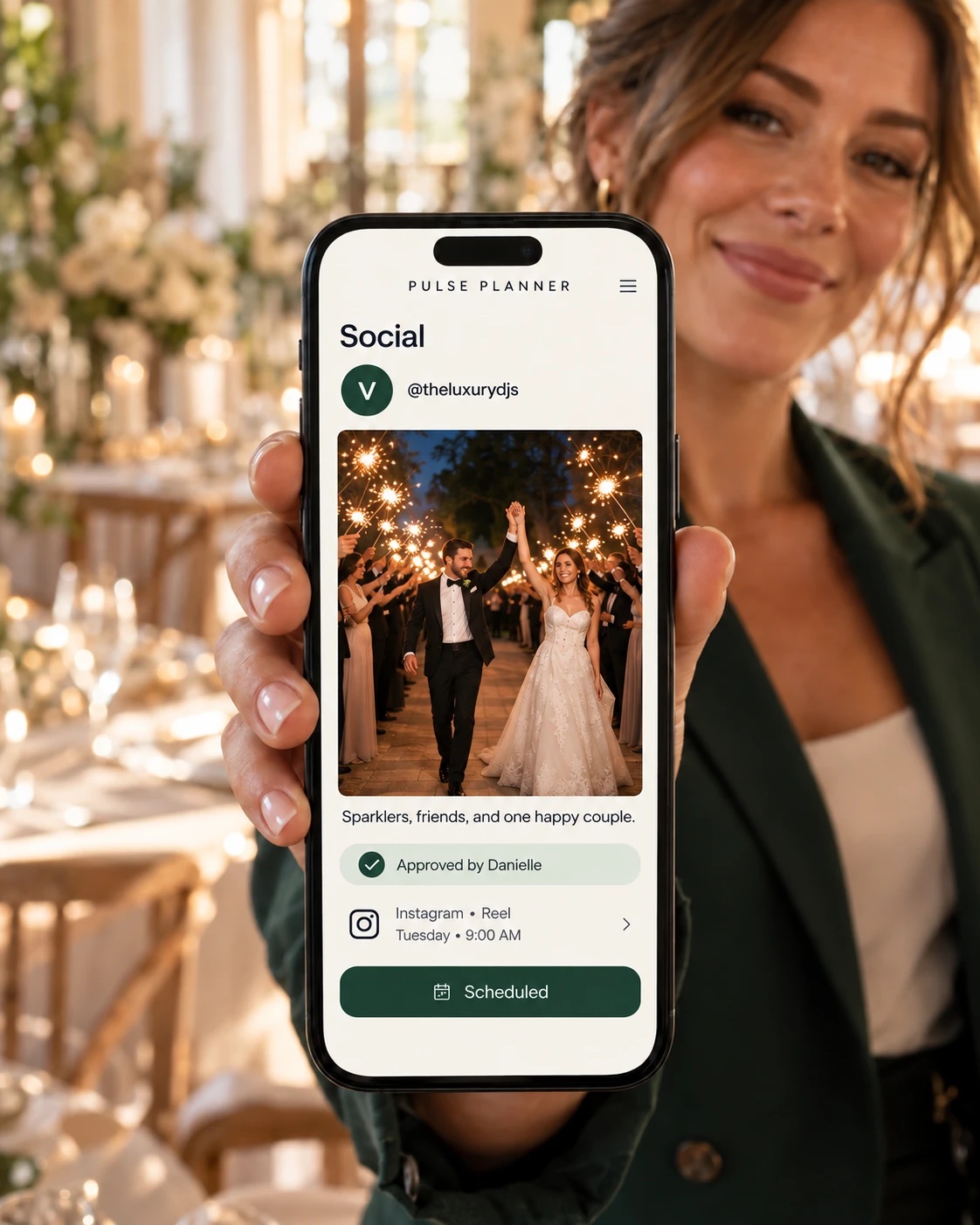
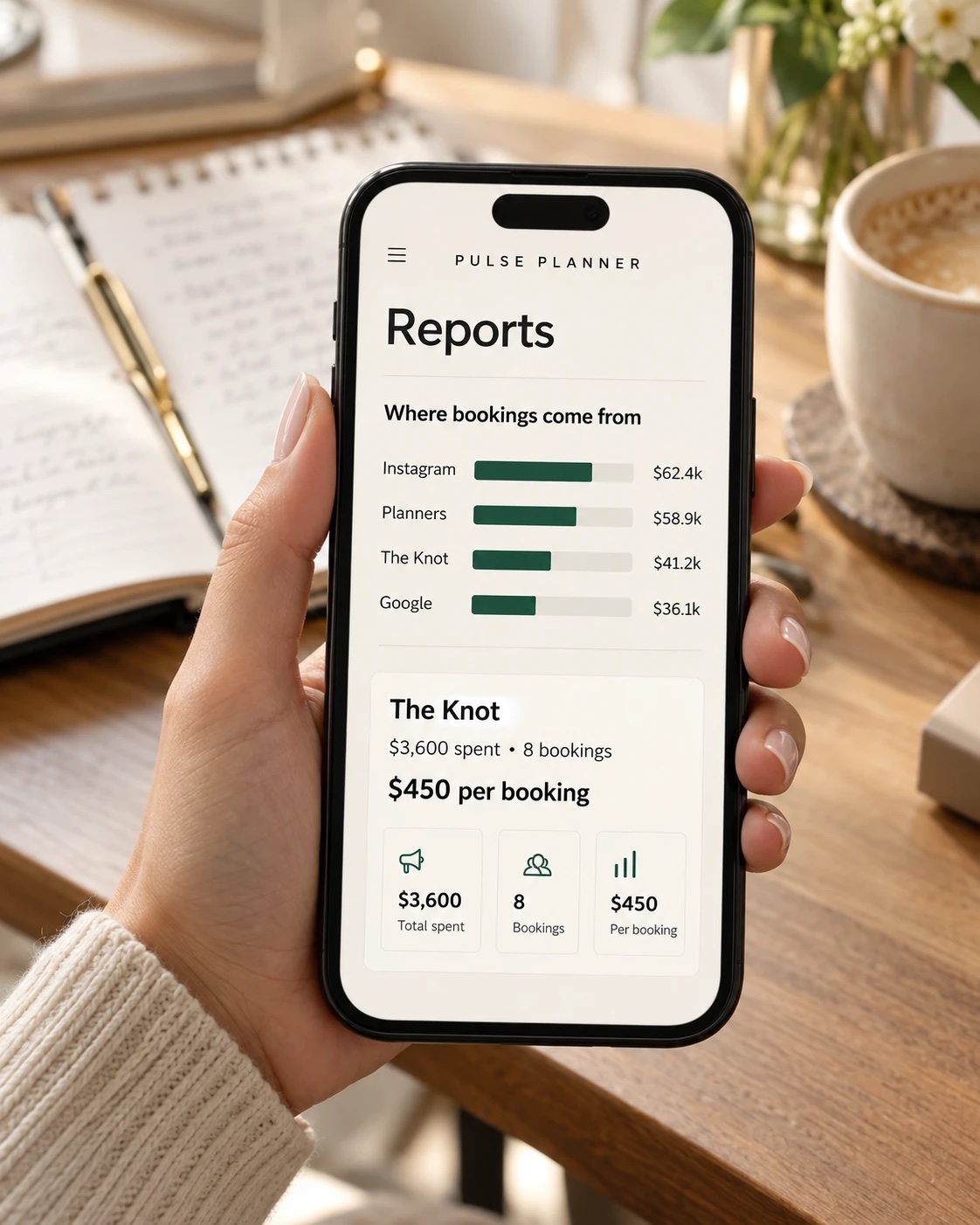
Your DJs text photos from the venue. They're filed under that night's event, edited to your look and drafted into a post. You approve it with one tap, and it publishes to Instagram at the time you picked. Then you can see which post brought in an inquiry, and whether it booked.
- Texted inYour DJ texts the business number from the venue
- EditedBrightened to your look, and the original is kept
- DraftedA carousel or a reel, captioned, with the vendors tagged
- ApprovedYou read it and tap Approve. Nothing goes out without that.
- PublishedPosted to Instagram at the time you scheduled
- TracedYou see who inquired after it, and whether they booked
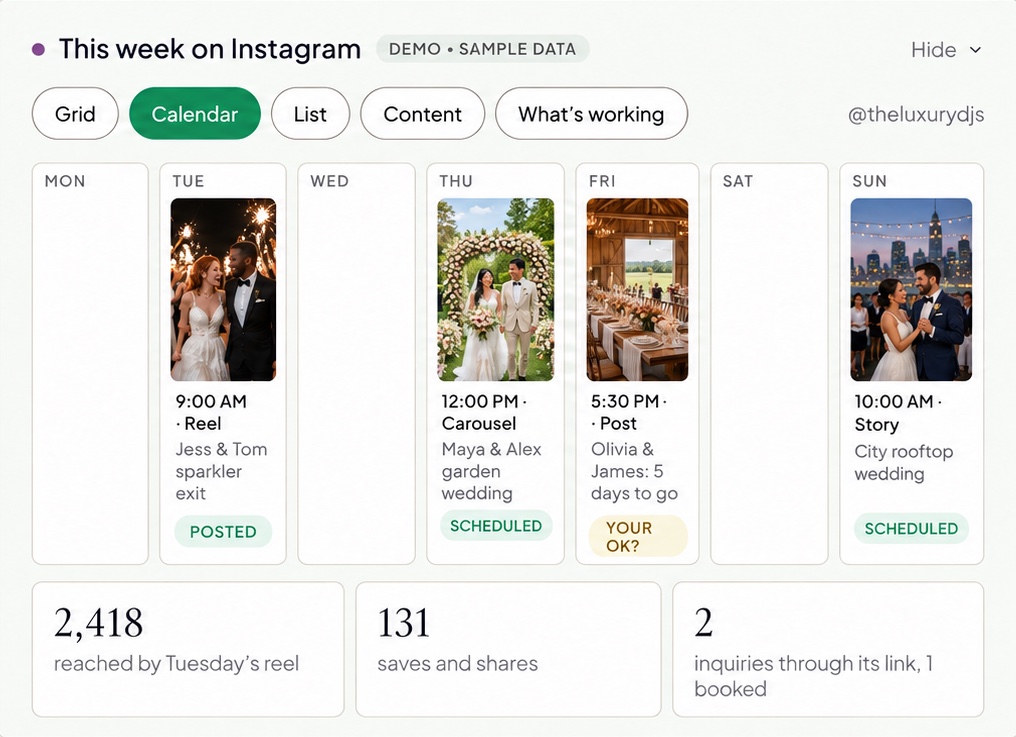
- Scheduled posts go out on their own at the right time in your time zone, even while you're at a gig
- If Instagram won't take a post, it's emailed to you at post time with everything you need to post it yourself. A post is never missed without you knowing.
- Every client is asked "May we post your event?", and a no is respected everywhere. The app checks again at the moment of publishing.
- One post can go to several accounts, with a caption for each
- A week goes by with nothing scheduled, and the calendar tells you
- Your link-in-bio page shows which post sent each inquiry
What your clients see
A planning portal that feels like your company, not a form.
Each client gets their own page with your logo on it. They plan the day in six steps, pick songs from your library or bring in a Spotify playlist, meet their DJ, and see what they've paid and what's next. When they're done they confirm, the plan locks, and your DJ's planning form fills itself in.
Hannah & Luis
Saturday, June 14, 2027 · The Grand Ballroom
"I'll read every word of your plan before our call."
Book your planning callAutomations
Follow-ups that sound like you, and wait for your OK.
Every inquiry, proposal and booking starts a sequence. Anything personal sits in an approval queue, where you can read and edit the exact email before it goes. Nothing new reaches a client until you switch it on.
- Sequences stop the moment they reply, sign or pay
- Texts wait a few minutes (you choose how long), go only in your daytime hours, and only to clients who asked for texts
- A declined proposal moves to Win Back, with a call and a note that answers the reason they gave
Stops when they reply, by email or by text
- 1.Step nameSend an email
- Subject
- Thanks, we got your inquiry
- When
- Right away
- Goes to
- The client
- Approval
- Runs automatically
- 2.Step nameSend an email
- Subject
- Your wedding on October 16
- When
- Right after the previous step
- Goes to
- The client
- Approval
- Waits for your approval
- 3.Step nameSend a text
- Text
- Any questions I can answer?
- When
- 2 days after the previous step
- Goes to
- The client, if they asked for texts
Money & books
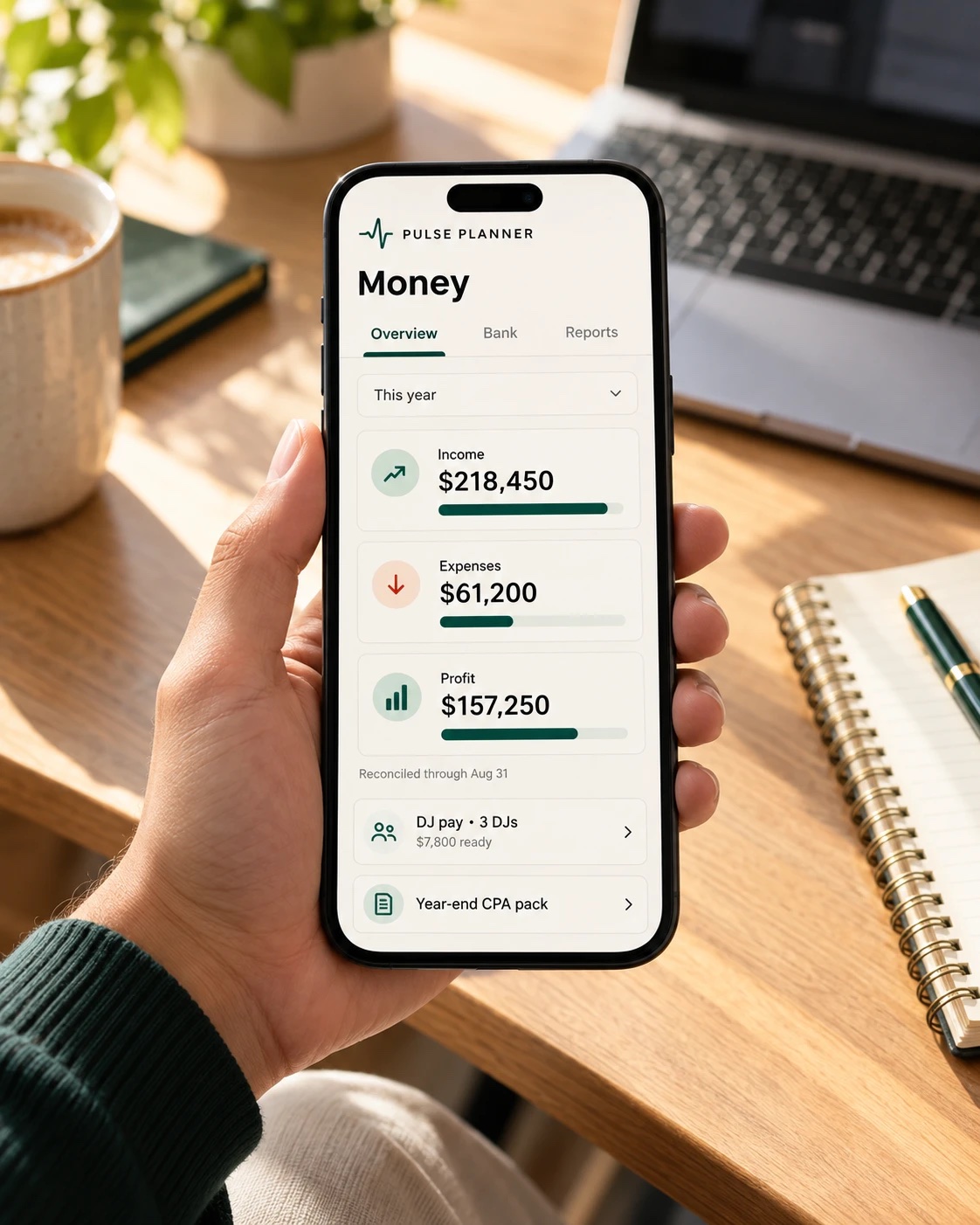
Get paid, pay your DJs, hand your CPA a clean year.
Card and bank payments go through your own Stripe account and confirm themselves. Unpaid retainers are chased for you, and stop the moment the money lands. Bank statements import and match to invoices. At year end there's a PDF pack for your accountant.
- Pay your DJs as contractors with 1099 totals or through your payroll service. Either way, your books are still clean.
- Bank reconciliation, closed periods, and a trail for every change
- How clients pay is yours to set: a percentage, a fixed retainer, net terms, per event type
Hannah & Luis
Booked| #2701 · Retainer | Paid $1,300.00 |
| #2702 · Uplighting add-on | Paid $450.00 |
| #2703 · Balance · due May 31 | Autopay $3,900.00 |
Corporate & private events
A company books the way a company books.
Every event type is a wedding, a corporate event or a private party, and each one reads in its own words. A corporate client never gets "your big day". A private event gets its own planning moments, not a first dance.
- Net 30 terms, booked the moment the contract is signed
- Insurance certificates, W-9s and purchase orders in one place, with the PO on the invoice
- Overtime at two rates, booked ahead or added on the night, printed on the contract
Getting started · Powered by Claude
Set up in an afternoon, with an assistant beside you.
You start with a blank account, not someone else's company. A checklist takes you from your logo to your first automation, and the setup assistant, powered by Claude, answers as you go: what a setting does, what to put in a box, and what switching an automation on would change. It drafts wording in your voice, but nothing is saved or sent until you press Save. Testing mode holds every email and text until you're ready.
- Your business name and logo
- Connect your email
- Add your DJs
- Your packages and pricesNext
- Your contract
- Put the inquiry form on your website
- Switch testing mode offLast
It only knows your settings and your own automations. It never reads a client, your money or your messages, and it can't send anything.
Integrations
Works with the tools you already use.
Connect your own Gmail or Outlook. Take calls on Google Meet, Zoom or Microsoft Teams. Text from Quo, Twilio or Telnyx, and get paid through your own Stripe. Everything else lives in one place.
Email & calendar
 Gmail
Gmail Outlook & Microsoft 365
 Google Calendar
 iCloud & other calendars
Calls with clients
 Google Meet
 Zoom
Zoom Microsoft Teams
Getting paid
 Stripe
 Zelle
Zelle Venmo
Venmo
Texting
 Quo
Quo Twilio
 Telnyx
Social & photos
 Instagram
 Dropbox
 Canva
Canva Cloudinary
 Imagen
Music
 Spotify
 Apple Music
Books & the rest
 QuickBooks, via Zapier
 Zapier
 Claude
Calls on Google Meet are transcribed and summed up for you and your DJ, powered by Claude. From Zoom or Teams, drop in the transcript and get the same recap.
Names and logos belong to their owners.
Security
Your clients' details, kept like they're your own.
You're trusting us with every client you have. This is how we look after them.
Your own database
Every company's data lives in its own database, separate from every other business on Pulse Planner.
Two-step sign-in
Admins use an authenticator app. Your DJs and office confirm each new device with a texted code, and a lost phone is signed out from the office.
No passwords by email
Clients and planners get a single-use invite link and choose their own password. No password ever sits in an inbox.
No card numbers
Clients pay on Stripe's own checkout page. A card number never reaches your database or ours.
Last four digits only
A bank account or a DJ's taxpayer number is never kept whole, so a stolen copy has nothing worth taking.
Everyone sees their part
DJs see their own nights and pay. The office sees what a client owes. Only the owner sees the business's totals.
What it replaces
Six subscriptions and a helper. One price.
A DJ company typically pays about $247 a month for tools that don't talk to each other, then a few hundred more for someone to copy between them. Pulse Planner does all of it for one price: $99 a month for our first 50 companies.
| The job | What you use now | What it costs | In Pulse Planner |
|---|---|---|---|
| Leads, proposals, contracts, invoices | HoneyBook Premium | $129 / mo | Pipeline, proposals, e-signed contracts, Stripe |
| The client's music plan | DJ Intelligence | $45 / mo | Planning portal, song library, planning forms |
| Books, bank feeds, 1099s | QuickBooks Online | $35 / mo | Ledger, bank import, reconcile, CPA pack |
| Scheduling Instagram | Planoly | $28 / mo | Social hub, traced to bookings |
| Clients booking calls | Calendly | $10 / mo a seat | Meeting times from each DJ's own calendar |
| Texting clients | Your personal phone | — | Your business line, on the client's record |
| Chasing retainers & forms | A virtual assistant | $250–500 / mo | Reminders that stop the moment they pay |
| Every month | Six logins and a helper | $497–747 | Pulse Planner: $99 |
Published monthly prices, September 2026. Your own stack may cost more or less.
Everything on the left, for less than the tools alone. The admin help is included.
See the priceHow it's built
Rules we learned on real wedding weekends.
Each of these came out of a real booking season, and each one is built into how the software works.
Clients never feel managed by a system.
Emails read like a person wrote them and stay in one conversation. A planner is written to as a planner, and a company client never reads the word "wedding".
Nothing reaches a client until you've switched it on.
New automations start off. Personal messages wait for your approval, and the preview is exactly what will be sent.
The business's money is the owner's to see.
Office staff see what a couple owes. DJs see their own pay, by year. Only you see the business's totals.
Your DJ stays signed in at the venue.
No password prompt in a dark ballroom. If a phone is lost, you sign it out from the office.
See it with your own price list.
Thirty minutes. We'll walk one of your real bookings through it, from inquiry to planning form.